
When a customer opens a box, you get a rare moment of attention that email and SMS can’t reliably buy. If you use that moment well, you can:
- Prevent the most common "I’m confused" outcomes that drive tickets and returns.
- Get customers to the right next step (setup, care, sizing, troubleshooting, returns, replacement) in one scan.
- Measure whether your changes actually reduced friction.
This is the essence of Right-Time Marketing, applied to customer experience: deliver the right information at the exact moment it’s needed.
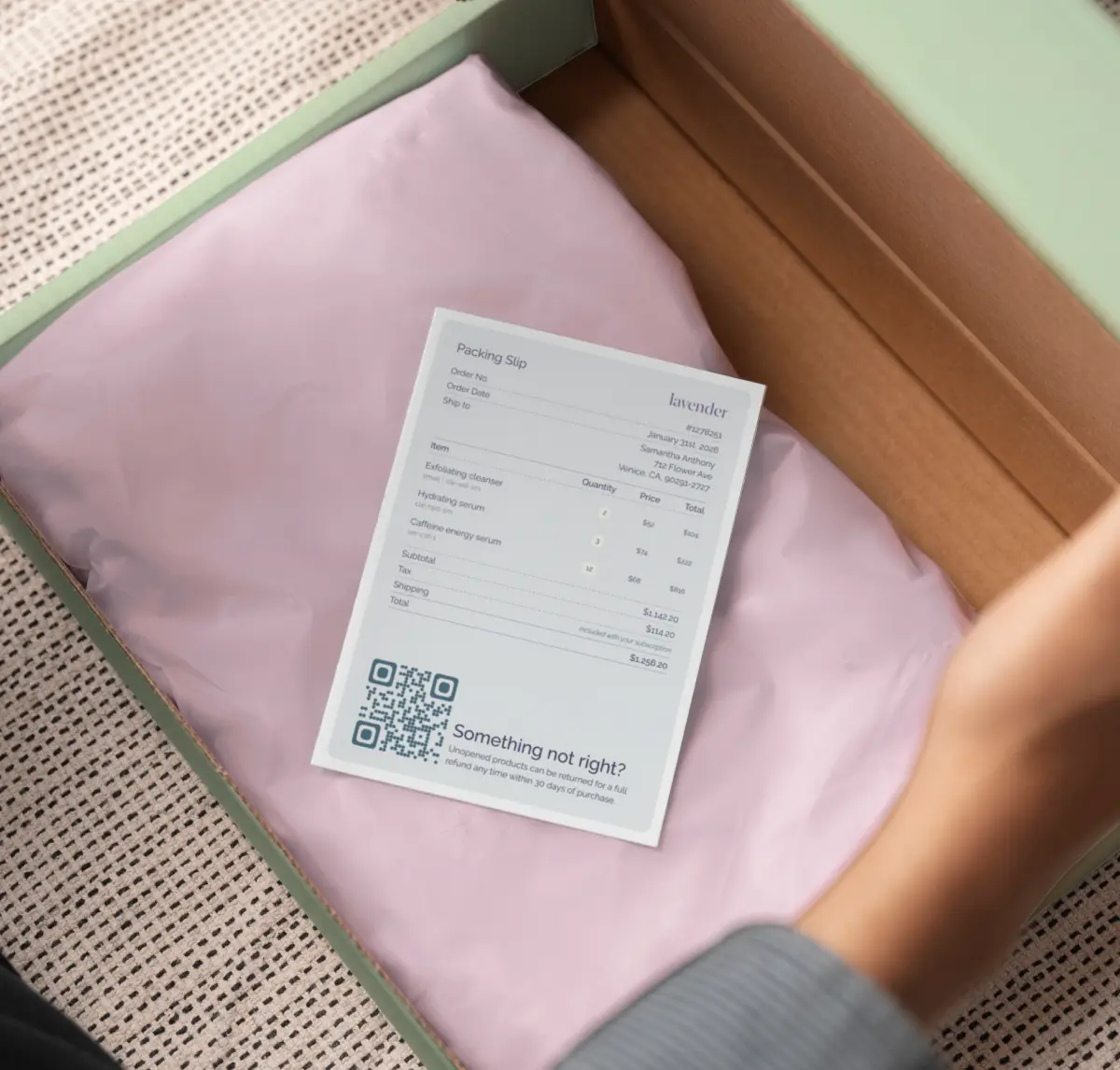
The returns and ticket drivers you can actually prevent
Not every return is preventable. But a surprising portion of tickets and returns come from a few repeated patterns you can address inside the package:
- "How do I use this?" (setup, dosing, pairing, sequence, care)
- "Is this normal?" (expected behavior, break-in periods, timelines)
- "Which one is mine?" (multi-item orders, bundles, variants)
- "It doesn’t fit / doesn’t match / isn’t what I expected" (fit notes, sizing guidance, what’s included)
- "Something’s wrong" (missing parts, damage, defect, troubleshooting)
The goal isn’t to print a novel. It’s to print the smallest set of information that prevents confusion and makes the next step obvious.
What to print: five insert patterns that reduce friction
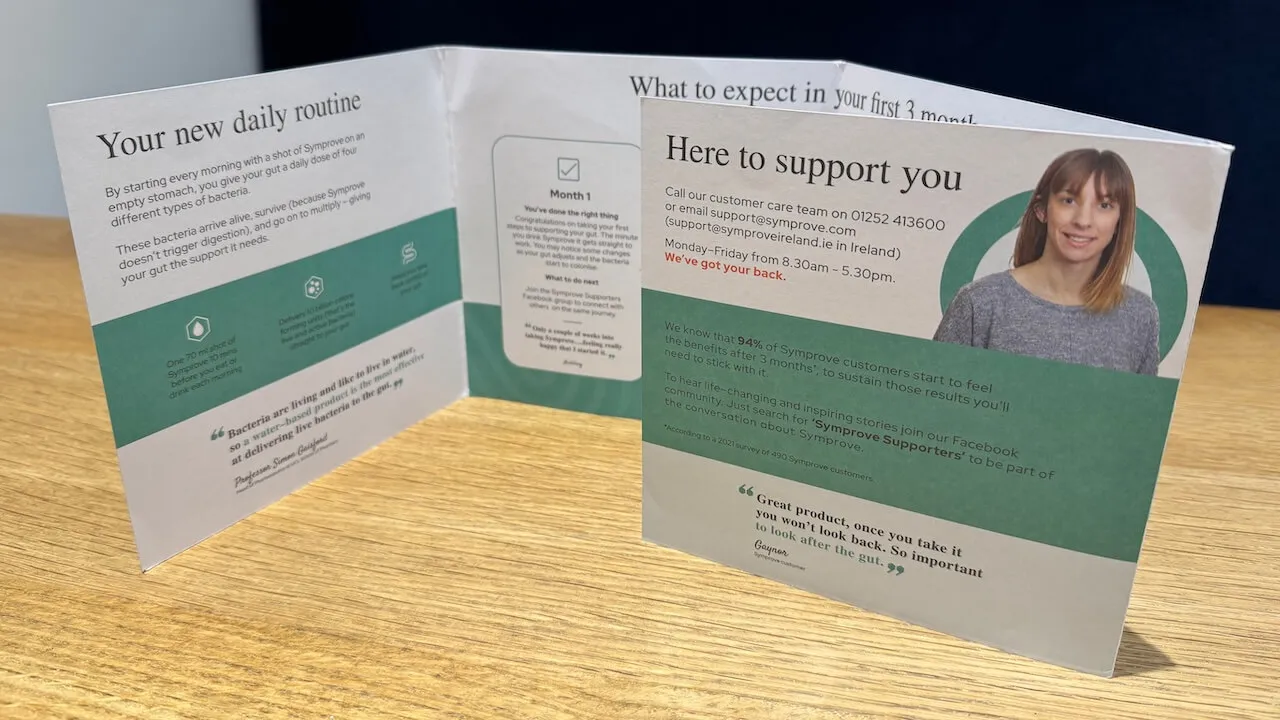
1) The "Quick Start" insert (best for complex products)
Use when customers need to succeed quickly (electronics, appliances, supplements, skincare routines).
Include:
- 3-5 setup steps, written at an 8th grade reading level.
- One "avoid this" mistake that causes most issues.
- A QR code to the full guide/video.
If you’re using Yuzu, this is where personalization shines: you can print a different Quick Start per SKU (or per bundle), so customers don’t have to hunt for the instructions that match what they bought.
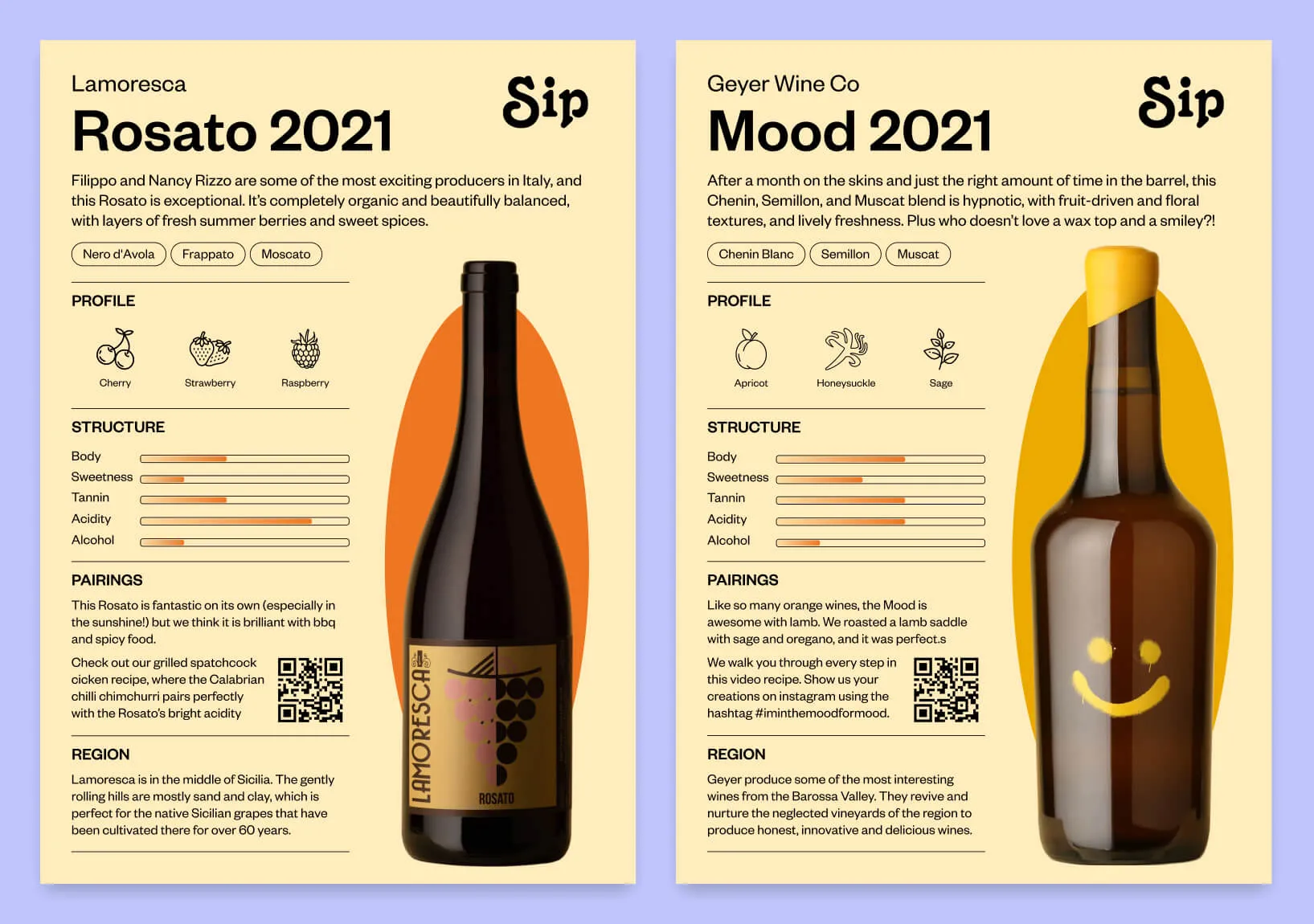
2) The "Expectation Setter" insert (best for time-to-results products)
Use when customers might think the product "isn’t working" quickly and contact support (supplements, skincare, subscriptions, consumables).
Include:
- What customers should feel/see in week 1, week 2, month 1.
- What’s normal vs not normal.
- A QR code to a troubleshooting or FAQ flow.
This reduces "is this normal?" tickets and helps prevent premature returns.
3) The "Box contents" checklist (best for bundles / multi-item kits)
Use when "missing item" tickets are common, especially with kits, bundles, and sample packs.
Include:
- A checklist of included items.
- A "missing something?" QR code that goes to a self-serve resolution flow.
If you can personalize, you can generate the checklist based on exactly what shipped in that order (and avoid showing items the customer didn’t receive).
4) The "Care & longevity" insert (best for apparel/home goods)
Use when misuse leads to dissatisfaction (shrinkage, discoloration, wear-and-tear).
Include:
- 3 care rules that prevent 80% of issues.
- A QR code to a care guide with pictures.
5) The "Support triage" QR (best when customers need help, fast)
Use when customers contact support because they don’t know the right path.
Instead of sending everyone to a generic support page, send them to a short triage page:
- "Setup help"
- "Something arrived damaged"
- "Missing item"
- "How to return"
Each option can route to the right content and fire a tracked event, so you learn what problems actually occur at scale.
Smart QR flows: make the scan do the work
QR codes are most valuable when they do more than open a homepage.
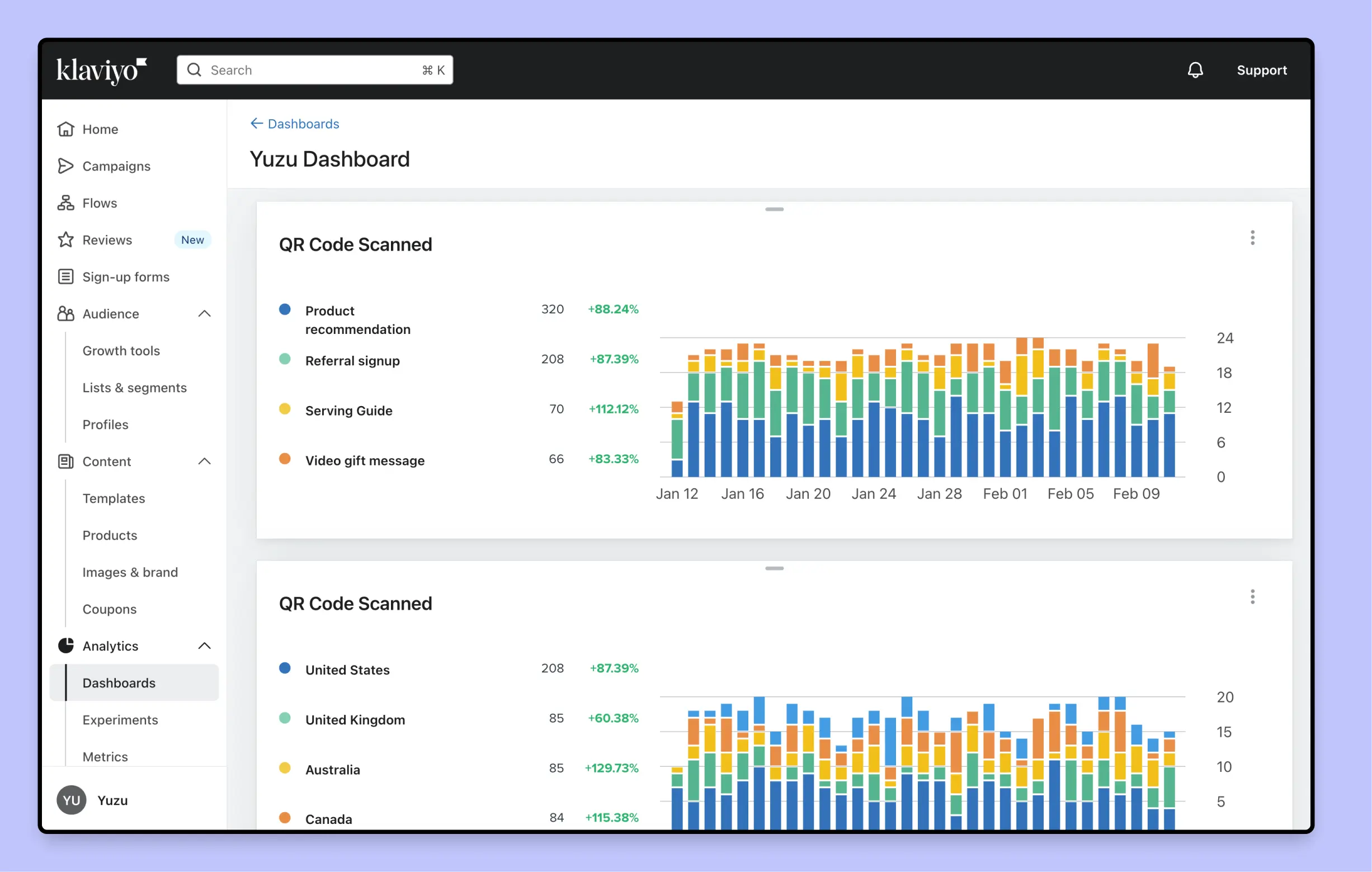
If you’re using Yuzu, you can generate QR codes that redirect via a tracking link. That gives you two major advantages:
- Measurement: you can measure scan rate and downstream conversions (more on this below).
- Routing flexibility: you can change where a QR code goes over time (for example, seasonal content, discontinued SKUs, or updated support articles) without reprinting the insert.
You can also tailor destinations by segment:
- SKU-specific setup pages
- Bundle-specific onboarding
- Locale-specific language pages
- A "how to return" destination that depends on the customer’s region
This kind of offline-to-online handoff is a recurring theme in our package insert attribution guide.
How to measure impact (without guessing)
Reducing tickets and returns is a systems problem, so your measurement needs to be specific. Start with three layers:
Layer 1: Engagement (did they use the help you printed?)
- QR scan rate by template/SKU/segment
- Triage selection rate (e.g. 40% "setup help", 25% "missing item")
- Video completion (if you link to a hosted video page with events)
Layer 2: Support deflection (did it prevent tickets?)
- Ticket rate per 1,000 orders (before vs after)
- Ticket tags by category (setup / missing / damage / returns)
- Time-to-first-response (often improves when volume drops)
Layer 3: Business outcome (did it reduce avoidable returns?)
- Return rate by SKU/category (before vs after)
- Reason-code shifts (e.g. fewer "didn’t know how to use")
- Exchange vs refund ratio (a healthy sign for fit/care improvements)
The best approach is to start with a pilot:
- Pick one category with high tickets/returns.
- Launch a single insert change (Quick Start + triage QR is a great combo).
- Compare to a control group (or a pre/post period if you can’t run a holdout).
If you want to be rigorous about holdouts and experiments, see our playbook on A/B testing package inserts without slowing fulfillment.
A practical rollout plan (so ops does not hate you)
Here’s a rollout sequence that tends to work well:
- Start simple: one insert template, one goal (reduce "setup" tickets).
- Make it SKU-aware: split by top SKUs or top bundles.
- Add triage routing: stop sending everyone to one generic URL.
- Iterate the content monthly: use scan and triage data to refine.
- Scale to other categories: repeat with a template system.
If you’re already building educational and recommendation content, you can combine the two (education + next-best-product) in a way that still feels helpful. We cover that strategy in Scaling Product Education & Recommendations in Packaging.
Conclusion
The fastest way to reduce avoidable tickets and returns is to remove uncertainty at the moment it appears. Inserts are perfect for that: they’re seen, they’re timely, and they can be personalized to the exact product the customer bought.
If you want to build in-box education flows that are personalized, measurable, and easy to iterate, schedule a demo and we’ll show you how teams use Yuzu to print the right guidance for every order.