
Corporate gifting breaks when it is treated like a bespoke sales project for every order. The fix is to separate high-volume self-serve orders from true concierge work and give each a workflow built for scale.
Why It Breaks
Email threads, spreadsheets, and manual approvals create delays and errors. The experience becomes painful for both the buyer and your team. At scale, the operational drag can erase the margin on the order.
The real problem is that "one order" can mean:
- 1 buyer and 250 recipients.
- Multiple shipping addresses and delivery dates.
- Recipient-specific messages, inserts, and SKUs.
- Approvals, invoicing, and tax requirements.
Self-Serve
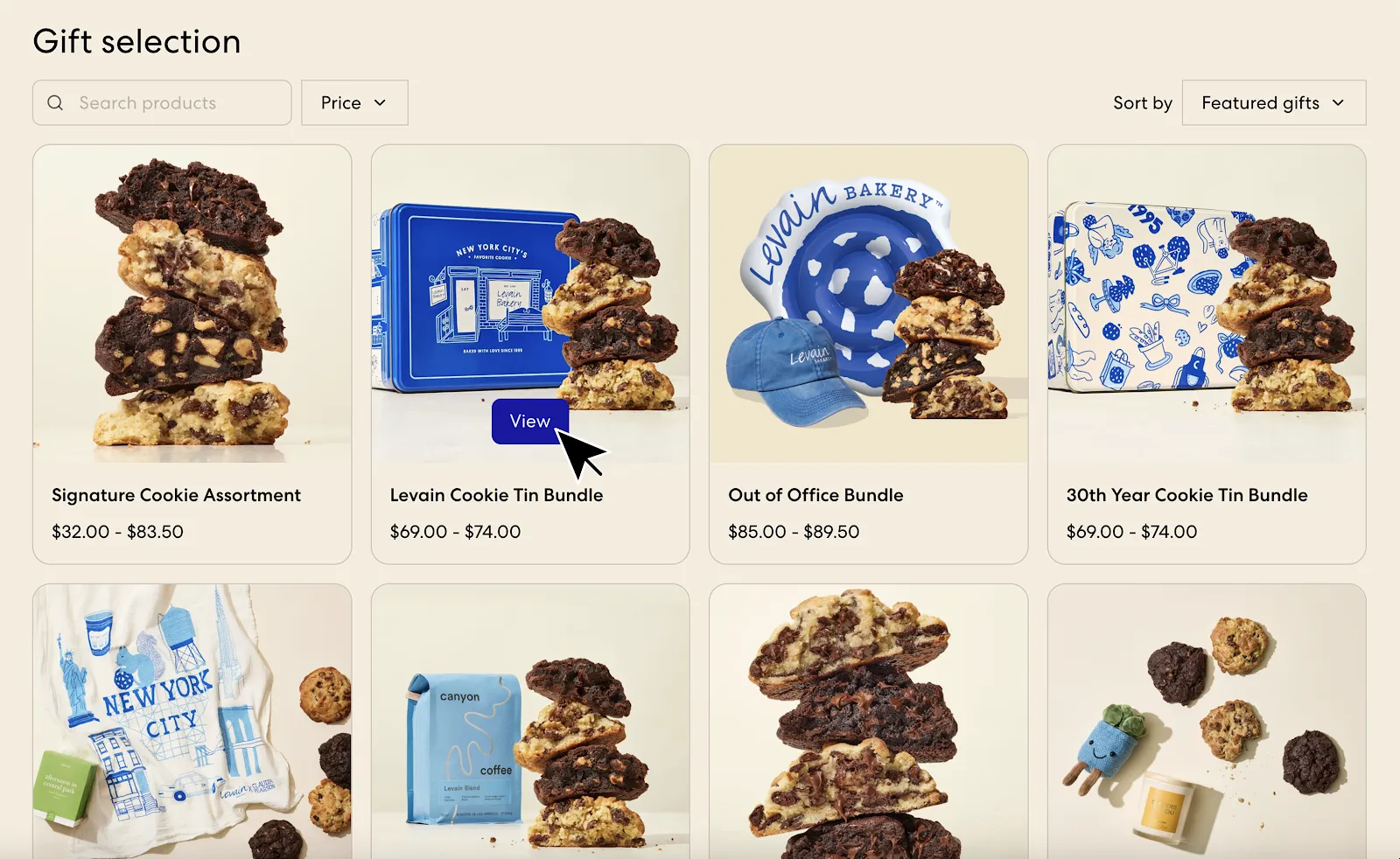
Catalog
Create a corporate catalog that mirrors the core store experience. Keep SKUs tight, bundles clear, and pricing consistent. The goal is speed and confidence.
Uploads
Recipient uploads should be painless. Allow CSV uploads, validate addresses early, and give buyers a fast way to fix errors.
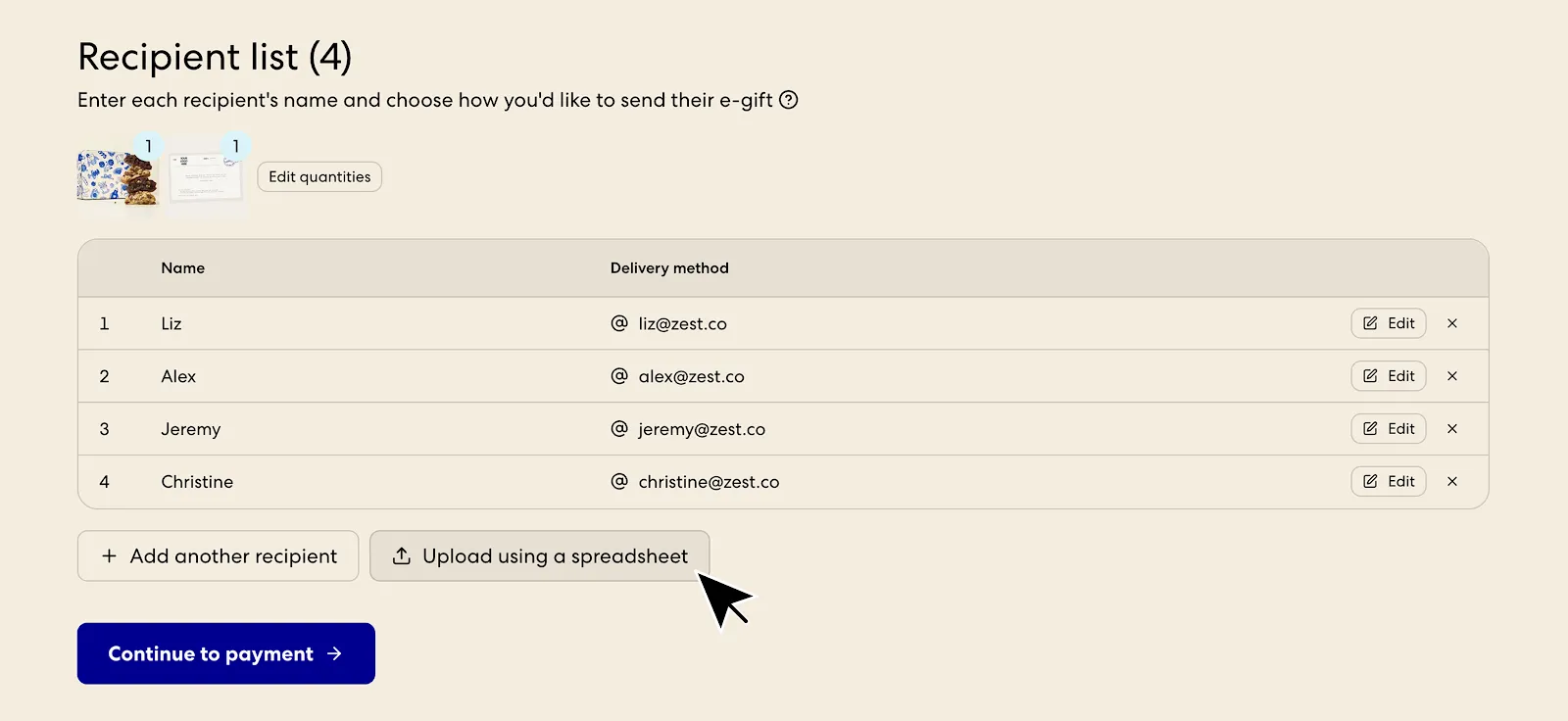
Minimum requirements for a self-serve upload flow:
- Clear CSV template (name, address, phone/email, gift note, SKU).
- Early validation (bad addresses should fail before payment).
- Fast editing (inline fixes, not "email us a correction").
- Safe retries (buyers can re-upload without losing work).
Delivery
Give buyers the choice between ship-to-recipient and e-gift delivery. This expands urgency scenarios and reduces last-minute friction.
Concierge
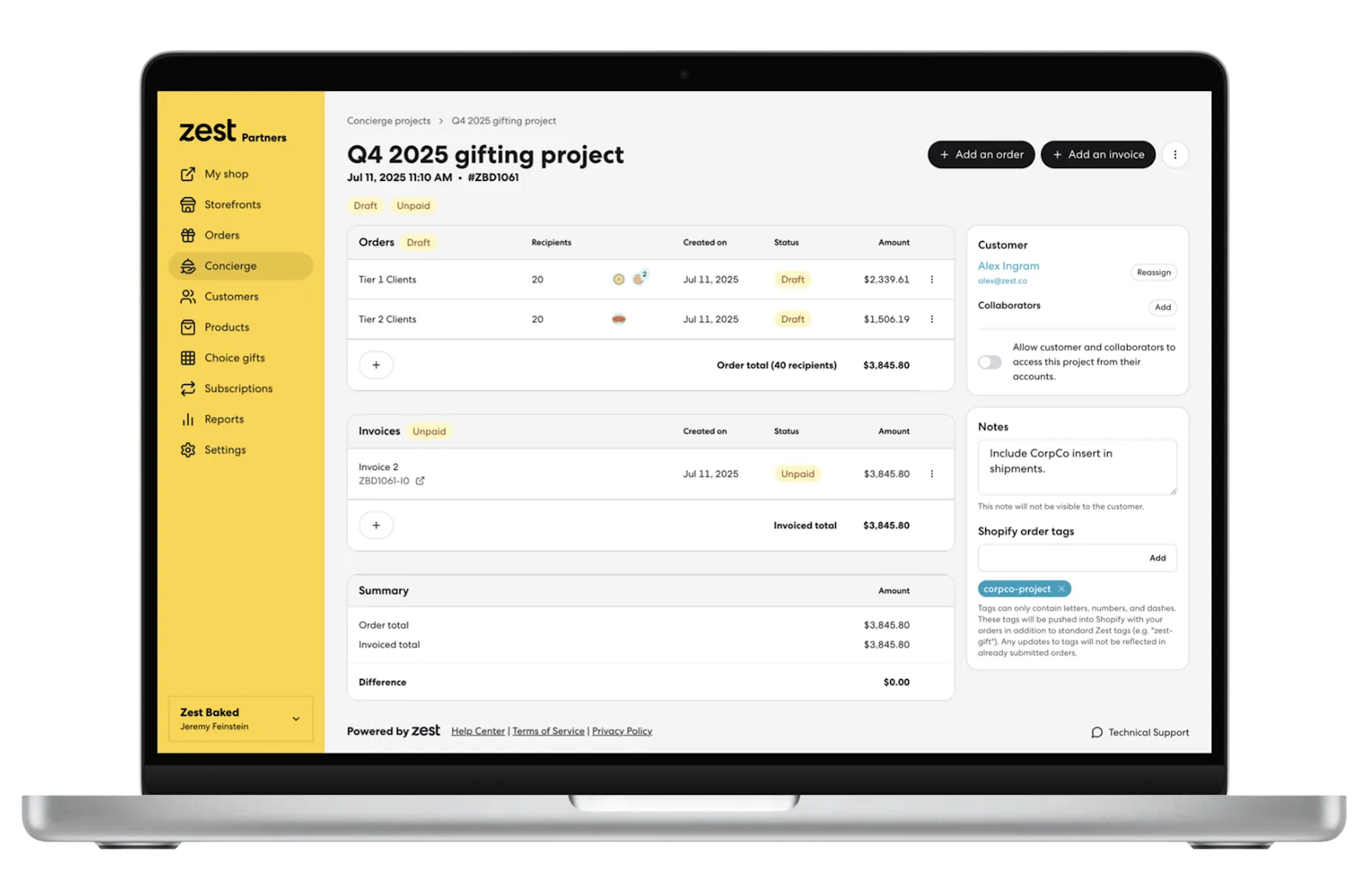
Concierge work should be treated like a project, not a batch of ad hoc orders. That means scoped requirements, clear approvals, and centralized status.
Projects
Use a single project view for recipients, gift notes, and shipping status so teams are not hunting across tools.
Invoices
Invoices, taxes, and shipping rates should be configurable per project. That avoids back-and-forth and shortens cycle time.
Boundaries
Self-serve and concierge should have explicit boundaries so ops stays predictable.
Good candidates for self-serve:
- Standard catalog, standard packaging, standard SLAs.
- Recipient upload required, no custom sourcing.
- Payment by card at checkout.
Good candidates for concierge:
- Custom packaging, inserts, sourcing, or kitting.
- Approvals, invoicing, or special tax needs.
- Multiple stakeholder coordination and event timelines.
Ops KPIs
Track a few basics.
- Time from order to approval.
- Recipient error rate.
- On-time delivery rate.
- Margin per order after ops cost.
Two additional metrics that catch hidden pain fast:
- Exceptions per 100 recipients (reprints, re-ships, address fixes).
- Reprint rate (signals template issues, printer reliability, or data mapping errors).
If you want a broader strategy overview, see Strategies to Streamline Corporate Gifting. For fulfillment implications, see Why Brands Switch 3PLs and Switching from Batch to Single-Order Processing.
Start
Modernizing corporate gifting does not require a full rebuild. Start by launching a self-serve storefront with a clean upload flow, then layer in concierge capabilities for high-touch accounts.
If you want to start in two weeks:
- Launch a corporate catalog and one self-serve landing page.
- Ship a CSV upload flow with validation and clear error messages.
- Define SLAs and publish cutoffs (especially for Q4).
- Create a single source of truth view for recipient status and exceptions.